Connecting a model provider
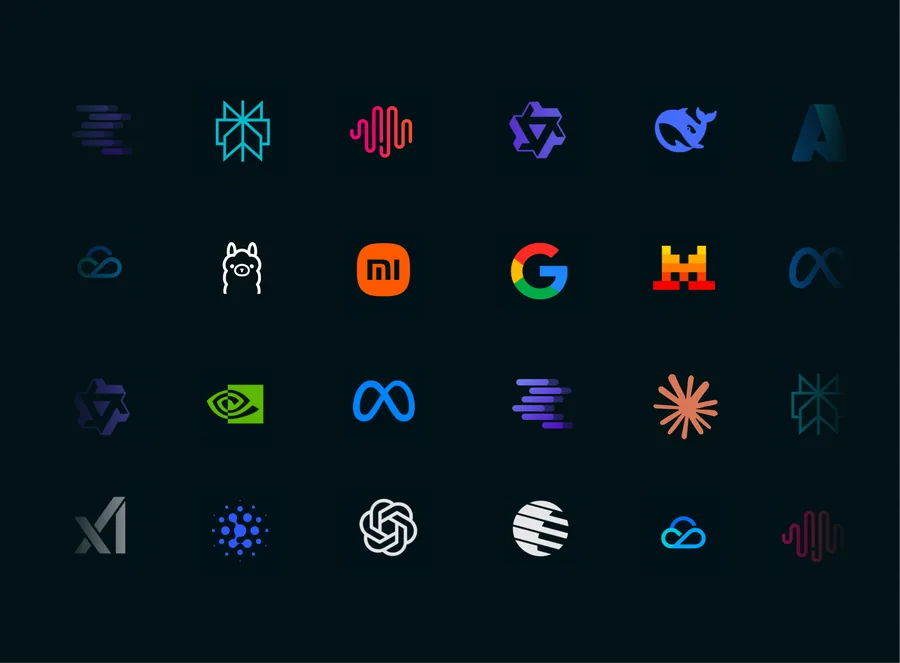
Ombro doesn’t come with an AI model of its own. You connect one from a model provider, the company that runs it, and Ombro sends it your chats and the crew’s work.
If you’ve only used ChatGPT or Claude in a browser, this page gets you from there to a working Ombro in a few minutes. This is one of Ombro’s superpowers because there are so many incredible models out there, and you can embrace any of them.
We may later offer an Ombro plan: a quick way to get started with models included. Connecting a provider of your choice would still work just as it does today.
API keys, in brief
Section titled “API keys, in brief”Ombro talks to a provider through its API, the service apps use to reach its models. To use it, you create an API key in the provider’s console: a long secret that tells the provider the calls are yours.
- API use is paid for separately. A ChatGPT or Claude subscription doesn’t usually include API use. Most providers ask you to buy credit or add a card, then charge per use, by the token (roughly three-quarters of a word). The one exception in Ombro is your ChatGPT plan.
- Costs vary a lot between providers and models, from fractions of a penny to several pounds for the same job. Ombro’s limits cap how many tokens a job may use, and every report shows its usage.
- Keep your key secret. Ombro stores it in a file only you can read, and never sends it to a model or writes it in a report.
Keeping costs down
Section titled “Keeping costs down”If cost matters most, two places to start:
- DeepSeek: strong models at low per-token prices. It’s the first choice in Ombro’s set-up.
- OpenRouter: one account and one key for models from many providers, including some very low-cost and free ones.
You can also give each role its own model: a capable one for the Lead, and a cheaper one for helpers. See Choosing models.
Where to get a key
Section titled “Where to get a key”These providers are listed in Ombro’s set-up, with their addresses filled in, so you only need the key.
| Provider | Get a key at | Notes |
|---|---|---|
| Anthropic | platform.claude.com | The Claude models. Keys are under Settings › API keys. |
| OpenAI | platform.openai.com | The GPT models. Or use your ChatGPT plan instead. |
| Google Gemini | aistudio.google.com | Has a free tier with usage limits; check Google’s terms on how free-tier data is used. |
| DeepSeek | platform.deepseek.com | Low prices. Add credit before your key will work. |
| Mistral | console.mistral.ai | A European provider. |
| xAI | console.x.ai | The Grok models. |
| Groq | console.groq.com | Open models, run very fast. |
| OpenRouter | openrouter.ai | Many providers’ models through one key. |
In each console, the steps are much the same:
- Create an account and sign in.
- Add a payment method or buy credit, if the provider asks for it.
- Find API keys, create a new key and copy it. Most consoles show it only once.
- Paste it into Ombro (below).
Connect it to Ombro
Section titled “Connect it to Ombro”During set-up, the Lead asks for a provider and key as one of its first questions.
Later, or to add another:
- Open Settings › General › Model providers and choose Add provider.
- Choose the provider from the list.
- Paste the API key.
- Choose Add provider. Ombro asks the provider which models your key can use and adds them all.
- Choose your Default model in the same section.
During set-up, ombro init asks for a provider and key.
Later, or to add another:
ombro models add # choose a provider and type its key (hidden)ombro models default # choose the default modelombro models # connections, their models and who uses eachombro models refresh # ask each provider for its current modelsYou can connect several providers at once and mix their models across roles.
Use your ChatGPT plan
Section titled “Use your ChatGPT plan”If you pay for a ChatGPT plan, Ombro can use the usage included in your plan, with no API key. You sign in with ChatGPT in your browser, as OpenAI provides for open-source apps.
- Open Settings › General › Model providers and choose Add provider.
- Choose ChatGPT plan (sign in, no key).
- Choose Continue with ChatGPT, and sign in in your browser.
ombro chatgpt sign-in # opens your browserombro chatgpt statusombro chatgpt sign-outOver SSH, it asks you to sign in on another computer and paste the address the browser ends up on.
The plan’s models appear with names ending in -plan. Calls to them count against your ChatGPT plan’s usage, which you can see and limit in ChatGPT’s settings.
Run a model on your own computer
Section titled “Run a model on your own computer”With a powerful enough computer, you can run open models locally. Nothing leaves your machine, and there’s nothing to pay per use. The trade-off: local models are generally less capable than the large hosted ones, and they need plenty of memory: as a rough guide, 16 GB or more, and ideally an Apple silicon Mac or a good graphics card.
- Install Ollama and download a model, for example:
The Ollama library lists what’s available.
Terminal window ollama pull <model> - Make sure Ollama is running.
- In Ombro, add the provider Ollama, on this computer. No key is needed.
- Install LM Studio and download a model from inside it.
- Start LM Studio’s local server, from its Developer section.
- In Ombro, add the provider LM Studio, on this computer. No key is needed.
Choose a local model that supports tool calling, since roles use tools for nearly everything.
Any other provider
Section titled “Any other provider”Any service with an OpenAI-compatible API works too: many hosting companies and self-hosted model servers offer one.
- Find the API’s address (often ending
/v1) and create a key, from the service’s docs. - In Settings › General › Model providers, choose Add provider, then Another provider. In the terminal,
ombro models addand type the address. - Enter the address and key. If the service doesn’t list its models, name the model to use.
Where to look
Section titled “Where to look”- Connections and their models:
~/.config/ombro/models.md. - Keys:
~/.config/ombro/secrets/keys.env, readable only by you.ombro keyslists them, masked.

